

I hope that most of my reader use Chrome as their primary internet browser because if you do, then I have got a simple but wonderfully convenient tool for you all.
Whenever we click on the new tab “+” button, a new tab opens with Chrome’s startpage.
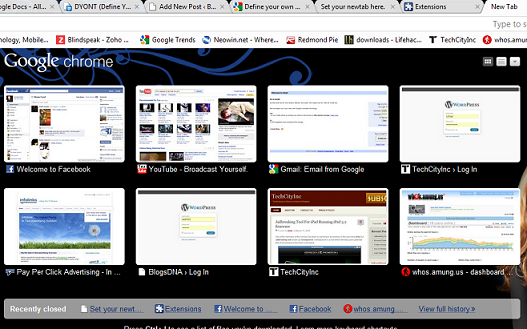
This startpage constantly changes, based on our closed tabs and most visited websites. What if each time a user opens a new tab, he/she does so to open a particular site? In other words, Chrome does not let its users choose the webpage that opens with each new tab; instead, the startpage is shown.
To define which webpage to open every time you click on the new tab button, Chrome users can employ Define Your Own New Tab (I will refer to it as DYONT, for the sake of brevity).
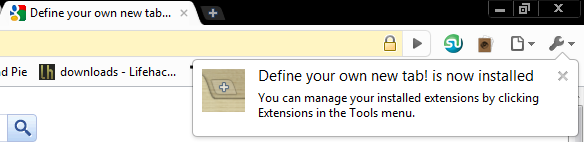
DYONT is a browser extension for Chrome which serves the abovementioned function. It creates no extra icons in the address bar and keeps Chrome clutter free. We can access the extension’s options and set up to two websites that open each time a new tab is opened.
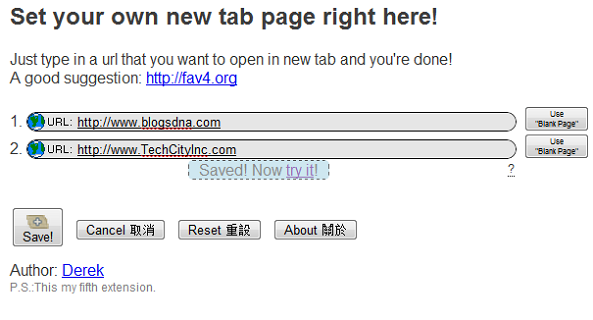
We can use this extension to visit our most frequented site or have an online startpage service open up with each new tab (like Fav4).
While using the extension, I faced no problems. Everything seemed to be in order. I recommend all Chrome give take DYONT out for a test drive. Use the comments to let me know what you think.
Install Define Your Own New Tab Here
Similar Posts:
- For Chrome: Take Quick Notes and Manage Bookmarks At The Same Time
- Automatically Detect Languages In Chrome And Translate With A Click of a Button
- Webpage Decorator Lets You Change A Website’s Colors in Chrome
- 5 Cool Chrome Extensions For Twitter
- How to Disable Tab Displaying Most Visited & Recent History in Google Chrome